
A free replacement for the Windows Mail app
Microsoft ended the Mail and Calendar app at the end of 2024. Here is where to go next.
Microsoft stopped supporting the built-in Mail and Calendar app on 31 December 2024 and points users to the new Outlook for Windows. If you liked the simple Mail app, or your business email is on cPanel or other hosting, you have good free options.
Your options
| App | Cost | Good for |
|---|---|---|
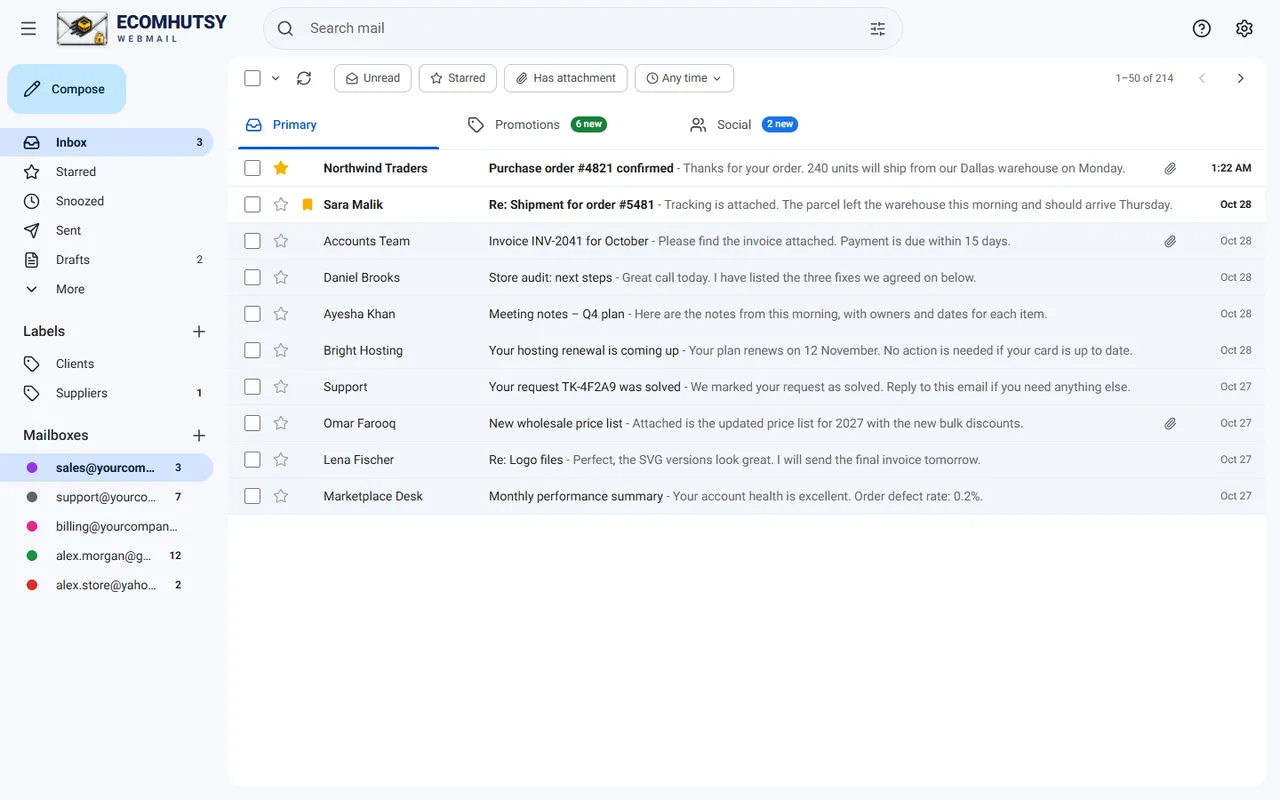
| ECOMHUTSY Webmail | Free | A simple Gmail-style inbox for business email, Gmail and Yahoo, with notifications |
| New Outlook for Windows | Free (ads on free accounts) | Outlook.com and Microsoft 365 users |
| Thunderbird | Free, open source | People who like many settings and add-ons |
Move from Windows Mail to ECOMHUTSY Webmail
- DownloadGet the free installer for Windows 10 or 11.
- Add each accountSign in with the email address and password. Gmail and Yahoo need an App Password.
- DoneYour email is on the server (IMAP), so every folder appears as it was.
Outlook.com and Hotmail accounts are not supported in ECOMHUTSY Webmail yet; keep those in Outlook.
Questions and answers
Is the Windows Mail app still available?
Microsoft ended support for Mail and Calendar on 31 December 2024 and replaced it with the new Outlook for Windows.
Will I lose my emails?
Not if your accounts use IMAP: the email stays on the server and appears in the new app.
E-commerce solutions from the makers of this app
Products



Services






A desktop app for the email on your domain
Free for Windows 10 and 11 · notifications in the tray · your mail goes straight from your PC